
Contents
- Does Computer Use Help With Dementia Symptoms?
- Key Takeaways
- What the research says about computer use, brain games, and cognitive training
- Who benefits most and what “help” can realistically mean
- How to choose dementia-friendly computer activities
- Best practices for success, reduce frustration and protect dignity
- Pair screen time with movement and real-world routines
- Safety first – scams, privacy, falls, and screen fatigue
- When home routines are not enough
- Our specialized memory care community in Orange County for structured engagement
- Sources & Additional Resources
- More Memory Care Resources
- Three Big Questions to Consider After an Alzheimer's Diagnosis
- Five Myths About Alzheimer's Disease
- Should You Seek an Alzheimer's Diagnosis?
- How to Talk with Someone Who Has Alzheimer's
- Coconut Oil for Alzheimer's Disease?
- How to Tell When a Loved One with Dementia Is Sick
- Does Computer Use Help with Dementia Symptoms?
- Coping With Dementia Behavior
- Respect for a Senior with Dementia
- Why Dementia Patients Have Trouble with Eating
- Exercises for the Later Stages of Dementia
- Addressing Agitation in Someone Who Has Dementia
- All About Lewy Body Dementia
- Exercise Benefits for Dementia Patients - Safe Activities, Routines, and Memory Care Support
- Giving Dignity to Dementia Patients
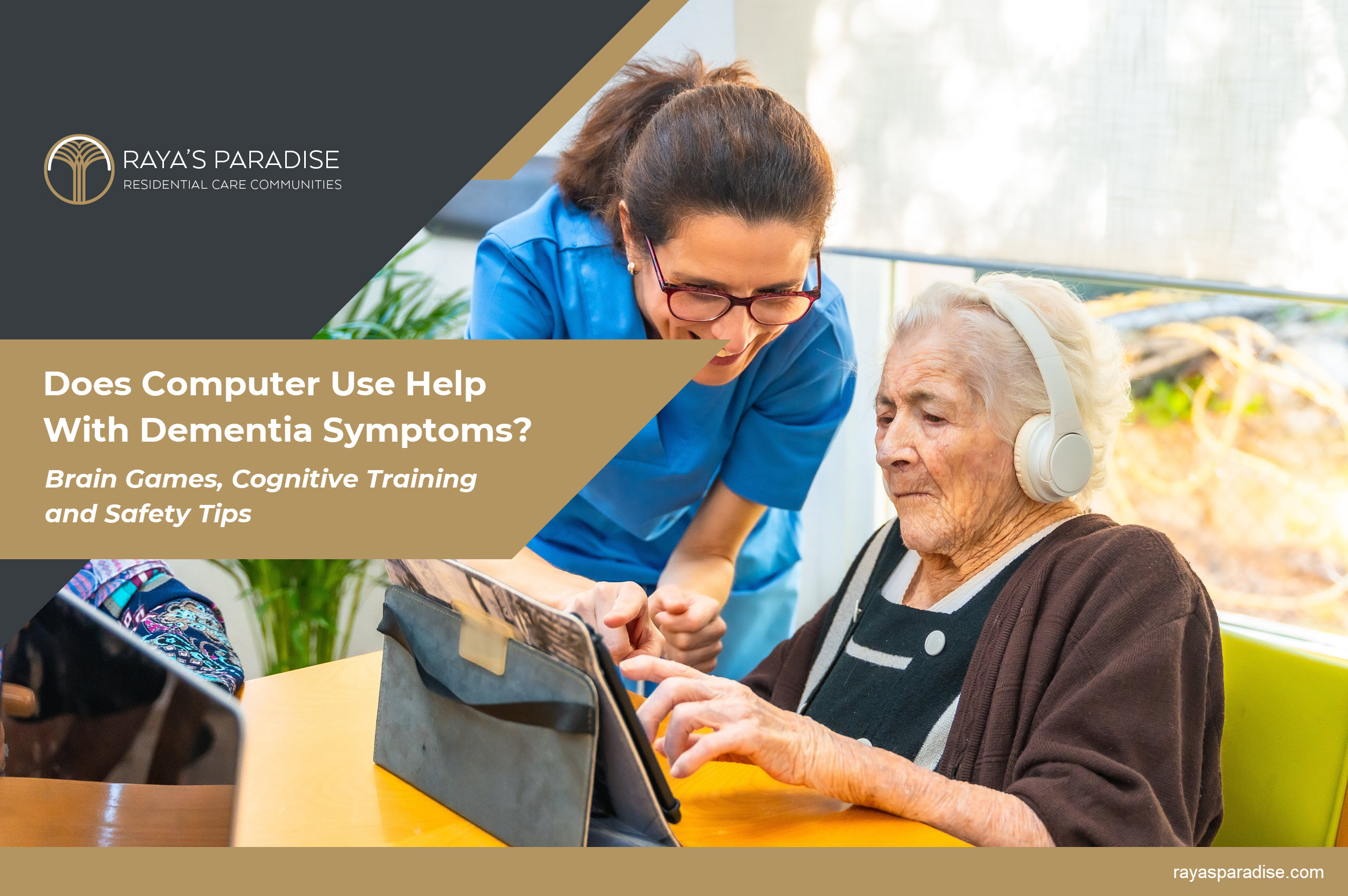
Does Computer Use Help With Dementia Symptoms?
Brain Games, Cognitive Training, Safety Tips, and Memory Care
Families ask this question for a reason. When dementia shows up, you want tools that help your loved one stay engaged, stay confident, and feel a little more like themselves. Screens are everywhere, so it is natural to wonder if brain games, tablets, and computer programs can actually improve dementia symptoms, or if they just create frustration.
The honest answer is nuanced. Some types of computer-based cognitive training can help certain thinking skills for some people, especially earlier in the journey. It is usually not a magic fix, and it works best when it is part of a bigger plan that includes movement, social connection, and meaningful daily routines.
Learn more about Raya’s Paradise
Explore memory care in Orange County and compare it with assisted living in Orange County. If you want to talk through options, reach out through our contact page. Prefer to see daily routines in person, request a San Clemente tour or schedule a Los Angeles tour.
Key Takeaways
- Computer use can help some cognitive skills for some people, especially with structured computerized cognitive training, but results vary and benefits are often modest.
- The best “brain games” are simple, adaptive, repeatable, and matched to the person’s current abilities, not their former abilities.
- Screen time works best as one piece of a routine that also includes movement, sleep support, and real-world engagement.
- Safety matters. Vision changes, fall risk, scams, overstimulation, and frustration can turn tech into a problem.
- If daily structure is hard to maintain at home, a memory care setting can provide consistent engagement without constant family conflict.
- Computer-based programs have not been shown to stop or reverse dementia progression, and benefits vary by person and program.

What the research says about computer use, brain games, and cognitive training
Not all “brain games” are the same. When researchers study benefits, they often focus on computerized cognitive training (CCT), which is structured practice targeting skills like attention, processing speed, working memory, or executive function.
A 2024 meta-analysis of CCT in people with mild cognitive impairment or dementia reported improvements in memory outcomes across included trials, though results varied by program design, intensity, and participant characteristics.
At the same time, major reviews emphasize caution. Evidence quality can vary, effects may be modest, and benefits do not always translate into daily life independence. A Cochrane review of CCT in mild cognitive impairment found that no included trials measured whether CCT prevents dementia, and the overall quality of evidence across outcomes was very low.
The best practical interpretation for families is this. Tech can be helpful, especially when it is structured and enjoyable, but it does not cure dementia or stop the underlying disease process, and there is no good evidence that it stops or reverses dementia progression. It also should not replace the basics that have broader support for brain health, daily function, and quality of life.
Who benefits most and what “help” can realistically mean
Families often hear “brain games help dementia,” then feel crushed when a loved one gets frustrated. A better question is, “What kind of help are we aiming for?”
Computer use may help by supporting:
- Attention and focus: practicing short tasks that require staying on track
- Processing speed: simple response tasks, especially in structured programs
- Confidence and mood: success-based activities that reduce boredom and increase pride
- Routine: a predictable daily activity that anchors the day
It is less reliable for “fixing memory” in a way families can easily see at home. Dementia is progressive. The win is often better moments, calmer routines, and more engagement, not a full return to how things were.
If you want a clear framework for progression and what changes tend to come next, this guide is helpful context: the stages of dementia.

How to choose dementia-friendly computer activities
The best digital activities for dementia usually share the same traits. They are simple, visually clear, and designed to create success without constant correction.
Use this selection checklist
- Adaptive difficulty: the program adjusts based on performance, so it stays challenging without becoming humiliating
- Short sessions: tasks can be completed in 2 to 10 minutes
- Clear visuals: large text, high contrast, minimal clutter
- Low penalty: wrong answers do not trigger loud buzzer sounds or fail messaging
- Familiar categories: music, nature, travel, sports, cooking, classic trivia, older films, local history
Brain games versus digital engagement
For many families, the best screen activity is not a training game. It is a simple interactive experience that supports attention and mood. Examples include photo slideshows, familiar music playlists, nature videos, and guided reminiscence prompts.
If you want non-digital activities that create the same engagement benefits without screen frustration, use this as your benchmark list: activities to do with a loved one who has dementia.
Best practices for success, reduce frustration and protect dignity
Five minutes that ends well beats 30 minutes that ends in tears. Stop while it still feels successful.
Coach like a teammate, not a teacher
- Demonstrate once, then let them try
- Use one-step cues, “Tap here,” then pause
- Praise effort, not accuracy
Be flexible about rules
In early stages, rules can provide structure. In later stages, rules can create failure. If your loved one is engaged and calm, the correct way matters less.
Watch for overstimulation
If the screen is loud, fast, or visually busy, it can worsen agitation or confusion. If you are seeing distress patterns, this companion guide can help you respond without escalating: addressing agitation in someone who has dementia.

Pair screen time with movement and real-world routines
One of the most consistent findings in dementia care is that no single tool does everything. Brain games tend to work best when they are part of a broader lifestyle plan that supports sleep, mood, physical function, and social connection.
Physical activity is one of the most widely recommended lifestyle habits for brain health. The CDC notes that regular physical activity can help support brain health and is associated with reduced risk of cognitive decline.
If you want dementia-friendly movement ideas that pair well with short screen sessions, this guide is a practical starting point: exercise benefits for dementia patients.
For broader activities that support mental engagement without relying on apps, this guide offers ideas families can actually use: four ways seniors can keep their minds sharp.

Safety first – scams, privacy, falls, and screen fatigue
Technology can support engagement, but it can also introduce risks. A few safeguards can reduce risk and prevent many common problems.
- Scam prevention: consider limiting email and messaging access if scams are a risk, block unknown callers, disable in-app purchases, and keep banking off shared devices
- Privacy: use simple passcodes and limit apps that collect personal data
- Fall risk: avoid walking while looking at a screen, keep cords out of paths, use stable seating
- Eye strain and headaches: reduce brightness, increase font size, keep sessions short
- Sleep disruption: avoid stimulating screens late evening if sundowning or insomnia is present
If medical expenses and care planning are part of your stress load, this guide can be useful for the bigger picture decisions families face: how to lower medical expenses.
When home routines are not enough
Sometimes the issue is not the activity. It is the environment. If your loved one needs constant supervision, is awake at night, is wandering, or has frequent distress episodes, it becomes hard to maintain steady routines at home. At that point, tech can feel like a band-aid on a much bigger need.
If you need time to evaluate options without forcing an immediate permanent move, a bridge stay can help. Explore short-term respite care as a way to reset after a hospitalization or caregiver exhaustion.
If advanced illness is part of the picture and comfort support is needed alongside dementia care, you can also review hospice care services.
Our specialized memory care community in Orange County for structured engagement
In a strong memory care setting, engagement is not an occasional activity. It is built into the day. Trained staff, predictable routines, and calm redirection often make it easier for residents to participate without frustration, and easier for families to stop feeling like every day is a crisis.
If you want to see locations and understand what support looks like in real life, visit our communities page.
Next Steps
If you want help building a routine that combines safe engagement, movement, and the right level of support, we are here. Call (949) 420-9898 for Orange County or (310) 289-8834 for Los Angeles, or email Info@RayasParadise.com.
If you prefer to evaluate in person, request a San Clemente tour or schedule a Los Angeles tour.
Our Specialized OC Memory Care Facility
Our Los Angeles Assisted Living Residences
Disclaimer: This article is educational and general, not medical advice, diagnosis, or treatment guidance. If cognitive or behavior changes are sudden or severe, contact a qualified clinician to rule out illness, pain, medication effects, or delirium. If there is immediate danger, call emergency services.
 https://rayasparadise.com/wp-content/uploads/2013/05/Three-Big-Questions-to-Consider-After-an-Alzheimers-Diagnosis.jpg
1702
2558
Moti Gamburd
https://rayasparadise.com//wp-content/uploads/2019/07/RP-LOGO-Horizontal-Name-Only-websitetrans.png
Moti Gamburd2026-08-08 11:36:042026-08-09 20:58:17Three Big Questions to Consider After an Alzheimer's Diagnosis
https://rayasparadise.com/wp-content/uploads/2013/05/Three-Big-Questions-to-Consider-After-an-Alzheimers-Diagnosis.jpg
1702
2558
Moti Gamburd
https://rayasparadise.com//wp-content/uploads/2019/07/RP-LOGO-Horizontal-Name-Only-websitetrans.png
Moti Gamburd2026-08-08 11:36:042026-08-09 20:58:17Three Big Questions to Consider After an Alzheimer's Diagnosis https://rayasparadise.com/wp-content/uploads/2013/11/Five-Myths-About-Alzheimers-Disease-Whats-Actually-True.jpg
1697
2546
Moti Gamburd
https://rayasparadise.com//wp-content/uploads/2019/07/RP-LOGO-Horizontal-Name-Only-websitetrans.png
Moti Gamburd2026-08-07 16:45:112026-08-07 18:43:03Five Myths About Alzheimer's Disease
https://rayasparadise.com/wp-content/uploads/2013/11/Five-Myths-About-Alzheimers-Disease-Whats-Actually-True.jpg
1697
2546
Moti Gamburd
https://rayasparadise.com//wp-content/uploads/2019/07/RP-LOGO-Horizontal-Name-Only-websitetrans.png
Moti Gamburd2026-08-07 16:45:112026-08-07 18:43:03Five Myths About Alzheimer's Disease https://rayasparadise.com/wp-content/uploads/2026/08/Should-You-Seek-an-Alzheimers-Diagnosis.jpg
1702
2551
Moti Gamburd
https://rayasparadise.com//wp-content/uploads/2019/07/RP-LOGO-Horizontal-Name-Only-websitetrans.png
Moti Gamburd2026-08-06 06:39:192026-08-06 21:28:27Should You Seek an Alzheimer's Diagnosis?
https://rayasparadise.com/wp-content/uploads/2026/08/Should-You-Seek-an-Alzheimers-Diagnosis.jpg
1702
2551
Moti Gamburd
https://rayasparadise.com//wp-content/uploads/2019/07/RP-LOGO-Horizontal-Name-Only-websitetrans.png
Moti Gamburd2026-08-06 06:39:192026-08-06 21:28:27Should You Seek an Alzheimer's Diagnosis? https://rayasparadise.com/wp-content/uploads/2013/02/How-to-Talk-With-Someone-Who-Has-Alzheimers.jpg
1700
2553
Moti Gamburd
https://rayasparadise.com//wp-content/uploads/2019/07/RP-LOGO-Horizontal-Name-Only-websitetrans.png
Moti Gamburd2026-08-06 04:00:212026-08-06 15:23:18How to Talk with Someone Who Has Alzheimer's
https://rayasparadise.com/wp-content/uploads/2013/02/How-to-Talk-With-Someone-Who-Has-Alzheimers.jpg
1700
2553
Moti Gamburd
https://rayasparadise.com//wp-content/uploads/2019/07/RP-LOGO-Horizontal-Name-Only-websitetrans.png
Moti Gamburd2026-08-06 04:00:212026-08-06 15:23:18How to Talk with Someone Who Has Alzheimer's https://rayasparadise.com/wp-content/uploads/2013/09/Coconut-Oil-for-Alzheimers-Disease.jpg
1697
2551
Moti Gamburd
https://rayasparadise.com//wp-content/uploads/2019/07/RP-LOGO-Horizontal-Name-Only-websitetrans.png
Moti Gamburd2026-08-05 04:00:472026-08-05 21:50:26Coconut Oil for Alzheimer's Disease?
https://rayasparadise.com/wp-content/uploads/2013/09/Coconut-Oil-for-Alzheimers-Disease.jpg
1697
2551
Moti Gamburd
https://rayasparadise.com//wp-content/uploads/2019/07/RP-LOGO-Horizontal-Name-Only-websitetrans.png
Moti Gamburd2026-08-05 04:00:472026-08-05 21:50:26Coconut Oil for Alzheimer's Disease? https://rayasparadise.com/wp-content/uploads/2013/10/How-to-Tell-When-a-Loved-One-With-Dementia-Is-Sick.jpg
1697
2555
Moti Gamburd
https://rayasparadise.com//wp-content/uploads/2019/07/RP-LOGO-Horizontal-Name-Only-websitetrans.png
Moti Gamburd2026-03-10 12:43:002026-03-18 01:37:19How to Tell When a Loved One with Dementia Is Sick
https://rayasparadise.com/wp-content/uploads/2013/10/How-to-Tell-When-a-Loved-One-With-Dementia-Is-Sick.jpg
1697
2555
Moti Gamburd
https://rayasparadise.com//wp-content/uploads/2019/07/RP-LOGO-Horizontal-Name-Only-websitetrans.png
Moti Gamburd2026-03-10 12:43:002026-03-18 01:37:19How to Tell When a Loved One with Dementia Is Sick https://rayasparadise.com/wp-content/uploads/2013/08/Does-Computer-Use-Help-With-Dementia-Symptoms.jpg
1700
2557
Moti Gamburd
https://rayasparadise.com//wp-content/uploads/2019/07/RP-LOGO-Horizontal-Name-Only-websitetrans.png
Moti Gamburd2026-03-09 06:49:072026-03-18 00:31:00Does Computer Use Help with Dementia Symptoms?
https://rayasparadise.com/wp-content/uploads/2013/08/Does-Computer-Use-Help-With-Dementia-Symptoms.jpg
1700
2557
Moti Gamburd
https://rayasparadise.com//wp-content/uploads/2019/07/RP-LOGO-Horizontal-Name-Only-websitetrans.png
Moti Gamburd2026-03-09 06:49:072026-03-18 00:31:00Does Computer Use Help with Dementia Symptoms? https://rayasparadise.com/wp-content/uploads/2013/02/Coping-With-Dementia-Behavior.jpeg
1702
2555
Moti Gamburd
https://rayasparadise.com//wp-content/uploads/2019/07/RP-LOGO-Horizontal-Name-Only-websitetrans.png
Moti Gamburd2026-03-08 12:16:332026-03-16 16:35:15Coping With Dementia Behavior
https://rayasparadise.com/wp-content/uploads/2013/02/Coping-With-Dementia-Behavior.jpeg
1702
2555
Moti Gamburd
https://rayasparadise.com//wp-content/uploads/2019/07/RP-LOGO-Horizontal-Name-Only-websitetrans.png
Moti Gamburd2026-03-08 12:16:332026-03-16 16:35:15Coping With Dementia Behavior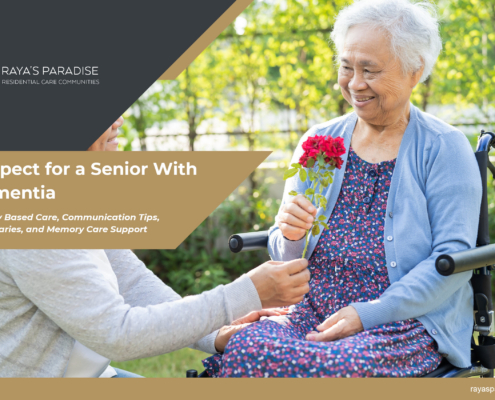 https://rayasparadise.com/wp-content/uploads/2013/09/Respect-for-a-Senior-With-Dementia.jpg
1700
2557
Moti Gamburd
https://rayasparadise.com//wp-content/uploads/2019/07/RP-LOGO-Horizontal-Name-Only-websitetrans.png
Moti Gamburd2026-03-07 03:14:072026-03-16 15:47:50Respect for a Senior with Dementia
https://rayasparadise.com/wp-content/uploads/2013/09/Respect-for-a-Senior-With-Dementia.jpg
1700
2557
Moti Gamburd
https://rayasparadise.com//wp-content/uploads/2019/07/RP-LOGO-Horizontal-Name-Only-websitetrans.png
Moti Gamburd2026-03-07 03:14:072026-03-16 15:47:50Respect for a Senior with Dementia https://rayasparadise.com/wp-content/uploads/2013/08/Why-Dementia-Patients-Have-Trouble-With-Eating.jpeg
1700
2553
Moti Gamburd
https://rayasparadise.com//wp-content/uploads/2019/07/RP-LOGO-Horizontal-Name-Only-websitetrans.png
Moti Gamburd2026-03-05 11:11:482026-03-16 02:07:05Why Dementia Patients Have Trouble with Eating
https://rayasparadise.com/wp-content/uploads/2013/08/Why-Dementia-Patients-Have-Trouble-With-Eating.jpeg
1700
2553
Moti Gamburd
https://rayasparadise.com//wp-content/uploads/2019/07/RP-LOGO-Horizontal-Name-Only-websitetrans.png
Moti Gamburd2026-03-05 11:11:482026-03-16 02:07:05Why Dementia Patients Have Trouble with Eating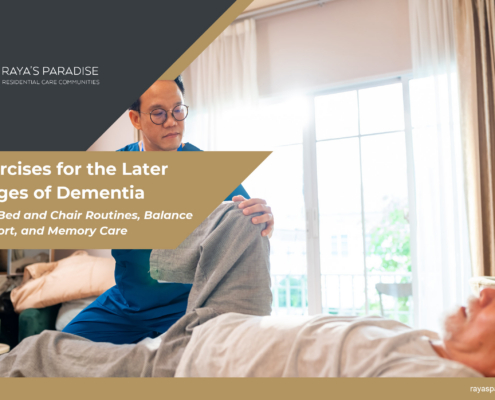 https://rayasparadise.com/wp-content/uploads/2013/05/Exercises-for-the-Later-Stages-of-Dementia.jpg
1702
2553
Moti Gamburd
https://rayasparadise.com//wp-content/uploads/2019/07/RP-LOGO-Horizontal-Name-Only-websitetrans.png
Moti Gamburd2026-03-04 11:13:202026-03-15 21:09:55Exercises for the Later Stages of Dementia
https://rayasparadise.com/wp-content/uploads/2013/05/Exercises-for-the-Later-Stages-of-Dementia.jpg
1702
2553
Moti Gamburd
https://rayasparadise.com//wp-content/uploads/2019/07/RP-LOGO-Horizontal-Name-Only-websitetrans.png
Moti Gamburd2026-03-04 11:13:202026-03-15 21:09:55Exercises for the Later Stages of Dementia https://rayasparadise.com/wp-content/uploads/2026/03/Addressing-Agitation-in-Dementia.jpg
1700
2548
Moti Gamburd
https://rayasparadise.com//wp-content/uploads/2019/07/RP-LOGO-Horizontal-Name-Only-websitetrans.png
Moti Gamburd2026-03-03 03:47:592026-03-15 19:55:59Addressing Agitation in Someone Who Has Dementia
https://rayasparadise.com/wp-content/uploads/2026/03/Addressing-Agitation-in-Dementia.jpg
1700
2548
Moti Gamburd
https://rayasparadise.com//wp-content/uploads/2019/07/RP-LOGO-Horizontal-Name-Only-websitetrans.png
Moti Gamburd2026-03-03 03:47:592026-03-15 19:55:59Addressing Agitation in Someone Who Has Dementia https://rayasparadise.com/wp-content/uploads/2026/03/All-About-Lewy-Body-Dementia.jpg
1702
2555
Moti Gamburd
https://rayasparadise.com//wp-content/uploads/2019/07/RP-LOGO-Horizontal-Name-Only-websitetrans.png
Moti Gamburd2026-03-02 04:28:062026-03-15 17:53:10All About Lewy Body Dementia
https://rayasparadise.com/wp-content/uploads/2026/03/All-About-Lewy-Body-Dementia.jpg
1702
2555
Moti Gamburd
https://rayasparadise.com//wp-content/uploads/2019/07/RP-LOGO-Horizontal-Name-Only-websitetrans.png
Moti Gamburd2026-03-02 04:28:062026-03-15 17:53:10All About Lewy Body Dementia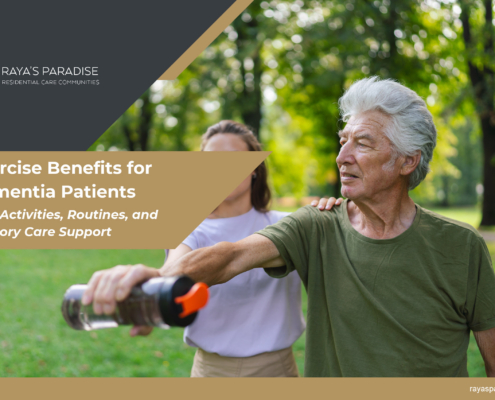 https://rayasparadise.com/wp-content/uploads/2013/05/Exercise-Benefits-for-Dementia-Patients.jpg
1703
2555
Moti Gamburd
https://rayasparadise.com//wp-content/uploads/2019/07/RP-LOGO-Horizontal-Name-Only-websitetrans.png
Moti Gamburd2026-03-01 02:39:032026-03-15 16:50:15Exercise Benefits for Dementia Patients - Safe Activities, Routines, and Memory Care Support
https://rayasparadise.com/wp-content/uploads/2013/05/Exercise-Benefits-for-Dementia-Patients.jpg
1703
2555
Moti Gamburd
https://rayasparadise.com//wp-content/uploads/2019/07/RP-LOGO-Horizontal-Name-Only-websitetrans.png
Moti Gamburd2026-03-01 02:39:032026-03-15 16:50:15Exercise Benefits for Dementia Patients - Safe Activities, Routines, and Memory Care Support https://rayasparadise.com/wp-content/uploads/2013/08/Giving-Dignity-to-Dementia-Patients.jpg
1697
2553
Moti Gamburd
https://rayasparadise.com//wp-content/uploads/2019/07/RP-LOGO-Horizontal-Name-Only-websitetrans.png
Moti Gamburd2026-01-14 04:00:032026-01-15 18:26:55Giving Dignity to Dementia Patients
https://rayasparadise.com/wp-content/uploads/2013/08/Giving-Dignity-to-Dementia-Patients.jpg
1697
2553
Moti Gamburd
https://rayasparadise.com//wp-content/uploads/2019/07/RP-LOGO-Horizontal-Name-Only-websitetrans.png
Moti Gamburd2026-01-14 04:00:032026-01-15 18:26:55Giving Dignity to Dementia Patients
